Applies To
- Zenoss Resource Manager 5.1.1 - 6.9
Summary
The following procedure explains how to setup SNMP filter traps using zentrap at the collector level.
Procedure
To enable and configure zentrap SNMP traps on the collector:
- From within the Control Center UI, edit the zentrap
/opt/zenoss/etc/zentrap.conf configuration file:Click Zenoss.resmgr to display the Zenoss.res manager page.
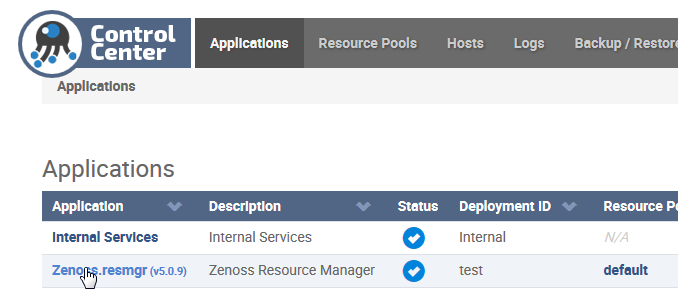
- Scroll down the page to zentrap.
Click zentrap to display the zentrap page.

- Scroll down to the /opt/zenoss/etc/zentrap.conf file.
Click Edit to launch the editor pane.

Edit the file to enable the zentrap filter. Uncomment the line (remove the #) :
trapFilterFile zentrap.filter.conf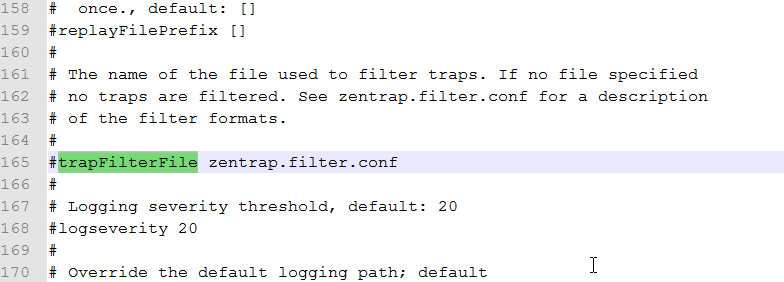
Click Save to save the changes, exit the file and close the editor dialog.

- From within the Control Center UI, edit the
/opt/zenoss/etc/zentrap.filter.conf file to define appropriate filter criteria:- Scroll down to the /opt/zenoss/etc/zentrap.filter.conf file.
- Click Edit to launch the editor pane.
- Edit the file to enable/define appropriate filter criteria. Uncomment a line to enable that definition (remove the #).
- Click Save to save the changes, exit the file and close the editor dialog.
- Scroll down to the /opt/zenoss/etc/zentrap.filter.conf file.
- Restart zentrap:
- From within the Control Center UI, Click Zenoss.resmgr to display the Zenoss.res manager page.
- Scroll down the page to find zentrap.
Click the Restart icon.

need s to be updated what about v3 in zenoss 6?